WiFi Recovery
This procedure explains how to connect a Chromebook to the temporary Recovery network to recover from the loss of WiFi settings. This will allow normal use of the Chromebook until a fix can be pushed.
- Power on the Chromebook
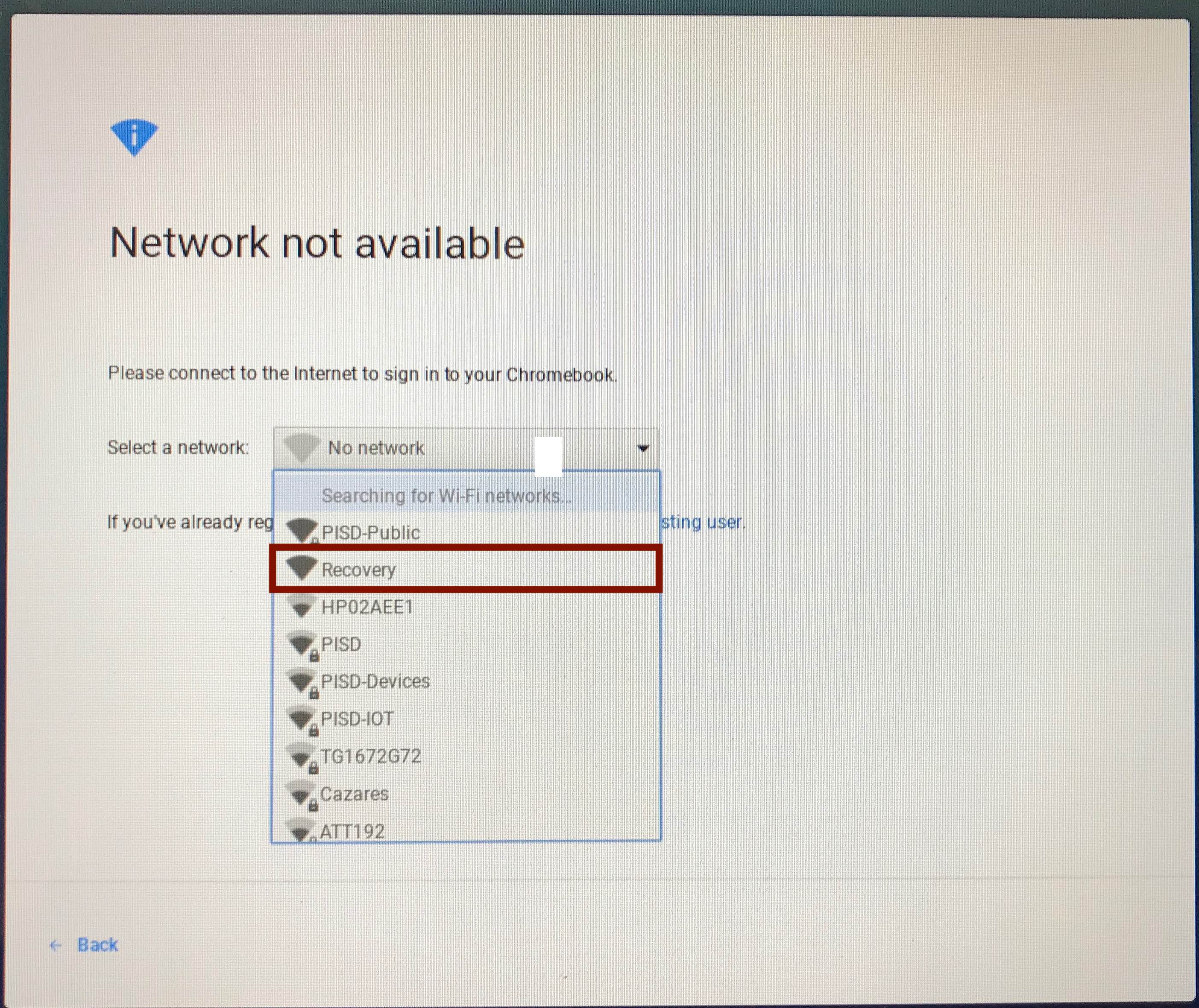
- A Network not available screen should be displayed
- From the dropdown, select Recovery

- Once the network connects, a login screen will appear