# Phones Overview

<p class="callout info">Please select the your phone from the list below to access the user guide for your phone.</p>

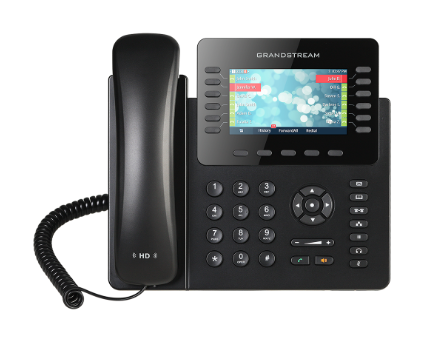
<table border="0" class="align-center" id="bkmrk-%C2%A0-grandstream-gxp217" style="width: 100%; border-collapse: collapse; border-style: none; height: 1481.97px;"><tbody><tr style="height: 374.656px;"><td class="align-center" style="width: 50%; border-style: none; height: 374.656px;">[![Grandstream GXP2170](https://kb.princetonisd.net/uploads/images/gallery/2022-05/0nw3mPasIJl3zbVB-gxp2170.PNG)](https://kb.princetonisd.net/books/classroom-troubleshooting/page/grandstream-gxp2170-user-guide "Grandstream GXP2170")

Grandstream GXP2170 ([User Guide](https://kb.princetonisd.net/books/classroom-troubleshooting/page/grandstream-gxp2170-user-guide))

</td><td style="width: 50%; border-style: none; height: 374.656px;">[![Grandstream GXP2135](https://kb.princetonisd.net/uploads/images/gallery/2022-05/23QLU8U4VLtfdQ6p-gxp2135.PNG)](https://kb.princetonisd.net/books/classroom-troubleshooting/page/grandstream-gxp2135-user-guide "Grandstream GXP2135")

Grandstream GXP2135 ([User Guide](https://kb.princetonisd.net/books/classroom-troubleshooting/page/grandstream-gxp2135-user-guide))

</td></tr></tbody></table>