# Updating Profile Information and Changing Notification Settings

### Updating Your Profile

1. Log in to the Permanent Substitute Site ([https://subs.princetonisd.net](https://subs.princetonisd.net/))
2. Click on your profile on the top right.

[![Screenshot 2025-02-11 at 10.09.29 AM.png](https://kb.princetonisd.net/uploads/images/gallery/2025-02/scaled-1680-/38kRELnNTnLycK1Z-screenshot-2025-02-11-at-10-09-29-am.png)](https://kb.princetonisd.net/uploads/images/gallery/2025-02/38kRELnNTnLycK1Z-screenshot-2025-02-11-at-10-09-29-am.png)

1. In the dropdown, select "Profile"
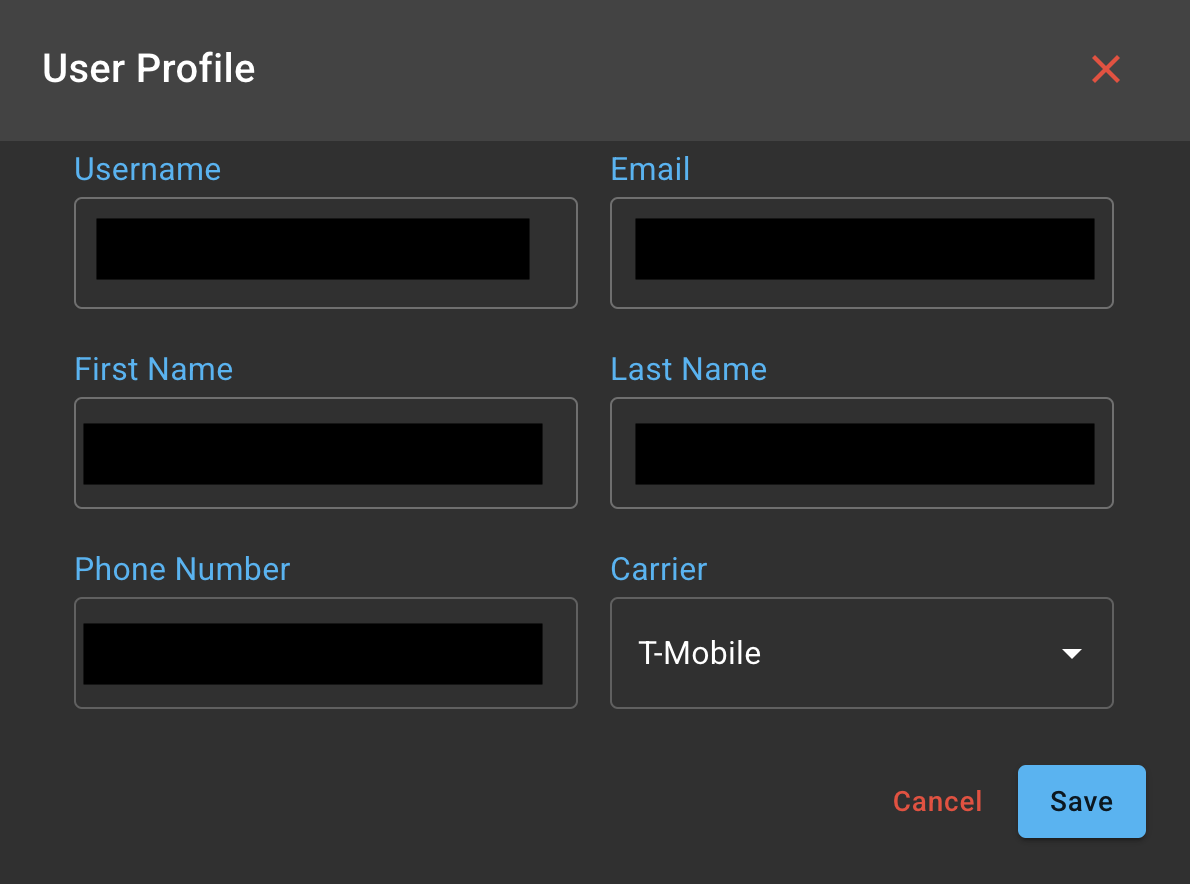
2. This will open up a window to add a phone number and your carrier to provide text notifications for new assignments or assignment changes.

<p class="callout info">Please note that some mobile carriers are not supported in our system, you will still receive email notifications regardless if your carrier is not supported.</p>

[![Screenshot 2025-02-11 at 10.14.24 AM.png](https://kb.princetonisd.net/uploads/images/gallery/2025-02/scaled-1680-/EltrpXW1z1Wlt3te-screenshot-2025-02-11-at-10-14-24-am.png)](https://kb.princetonisd.net/uploads/images/gallery/2025-02/EltrpXW1z1Wlt3te-screenshot-2025-02-11-at-10-14-24-am.png)

### Changing Notification Settings

<p class="callout info">Notification settings may not be available to every user, this is based on the users permissions, and in most cases, applies only to admin or manager roles of campuses.</p>

1. Log in to the Permanent Substitute Site ([https://subs.princetonisd.net](https://subs.princetonisd.net/))
2. In the sidebar, click Notification Settings

[![Screenshot 2025-02-11 at 10.17.43 AM.png](https://kb.princetonisd.net/uploads/images/gallery/2025-02/scaled-1680-/6EP1r6o6NdPAUICW-screenshot-2025-02-11-at-10-17-43-am.png)](https://kb.princetonisd.net/uploads/images/gallery/2025-02/6EP1r6o6NdPAUICW-screenshot-2025-02-11-at-10-17-43-am.png)
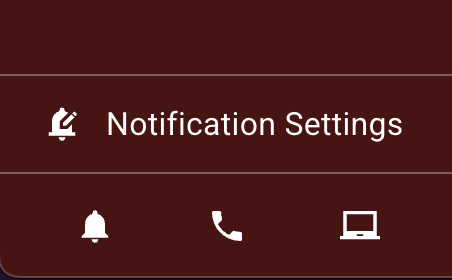
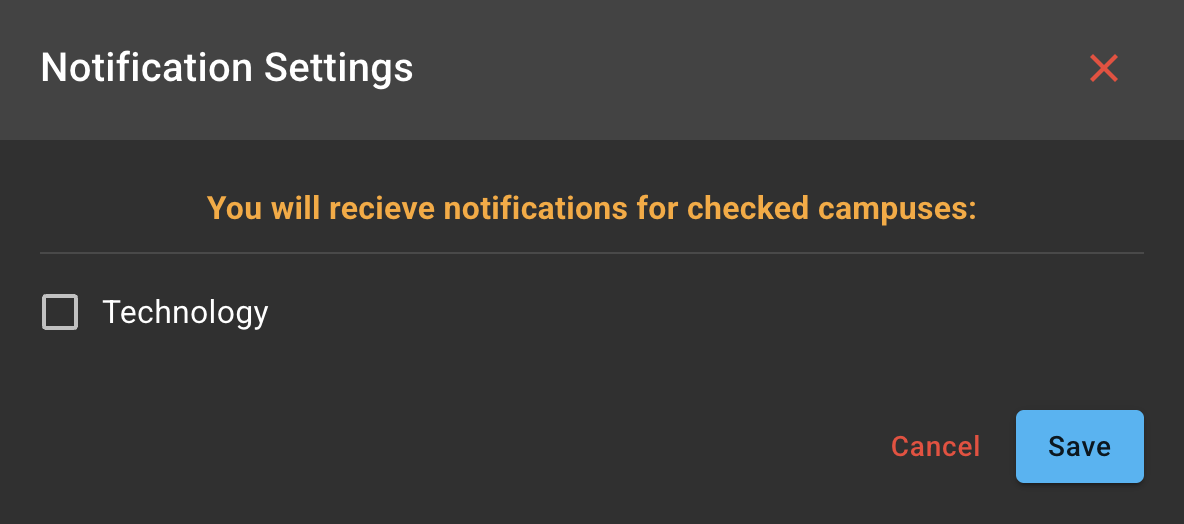
1. This will open a window for notification settings, allowing you to be included in email notifications on updates to substitute and assignment changes for the given campus.

[![Screenshot 2025-02-11 at 10.19.29 AM.png](https://kb.princetonisd.net/uploads/images/gallery/2025-02/scaled-1680-/q0CzGsLWHadXsH94-screenshot-2025-02-11-at-10-19-29-am.png)](https://kb.princetonisd.net/uploads/images/gallery/2025-02/q0CzGsLWHadXsH94-screenshot-2025-02-11-at-10-19-29-am.png)