
Using the App Portal on Windows
Princeton ISD provides an app portal which can be accessed from district machines to install district software through a self-service process. For the purpose of this tutorial, Google Drive File Stream will be used but the process is the same for every item in the app portal.

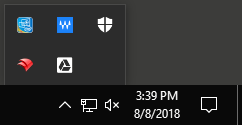
If the FileWave Kiosk does not appear, click the caret icon (see below) to expand the list.

The result should look like the below image.
 Once the FileWave Kiosk has launched a list of applications is shown. If you do not see the application you are looking for use the search box in the upper-right corner. Since this tutorial uses Google Drive File Stream, we will type file stream and hit enter. Doing so returns one result as shown below.
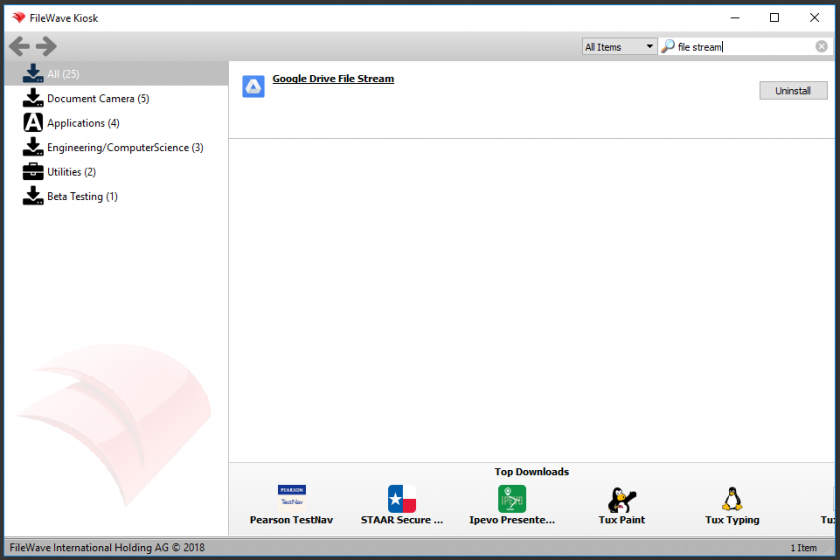
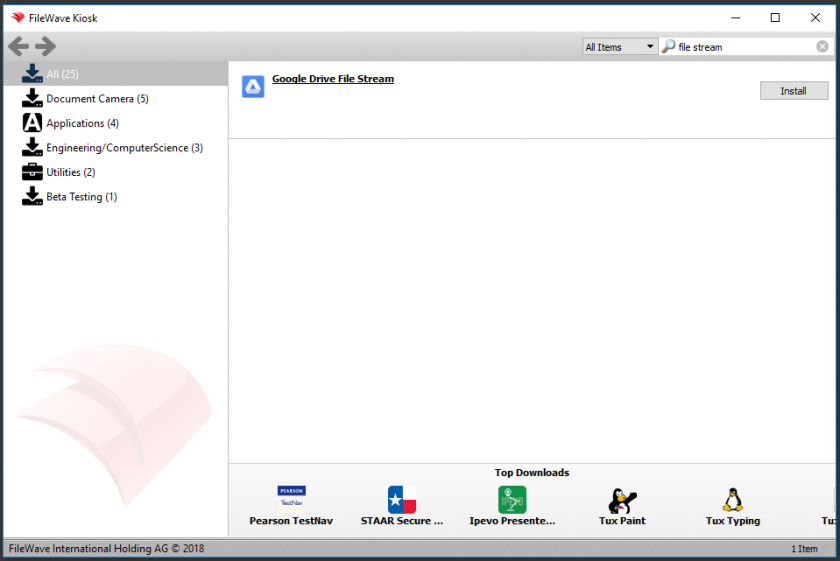 To install an application, click the Install button to the right of that application. Depending on the application it may take a long time to complete. Once the application is installed, the Install button will change to an Uninstall button as shown below.
 Repeat the process for any additional applications that you want to install.