Skip to main content
Set Black and White Printing as Default
Right click on the Start menu and click Control Panel
Under Hardware and Sound click View devices and printers
Right click on the printer and click Printing Preferences
Change the Color/Black and White setting to Black and White
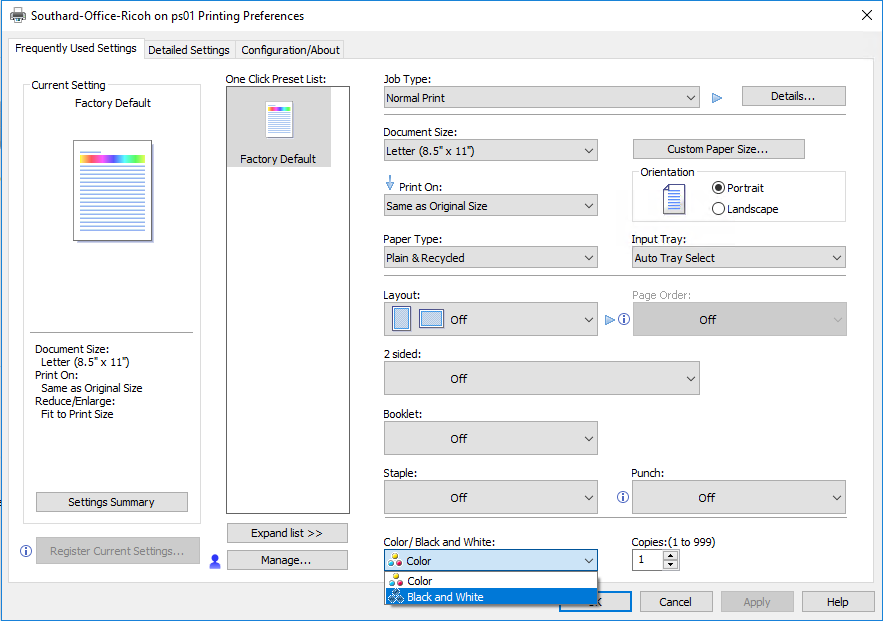 Click Apply then OK
