Skip to main content
Adding Print Codes for Ricoh Copiers
Right click on the Start menu and click Control Panel
Under Hardware and Sound click View devices and printers
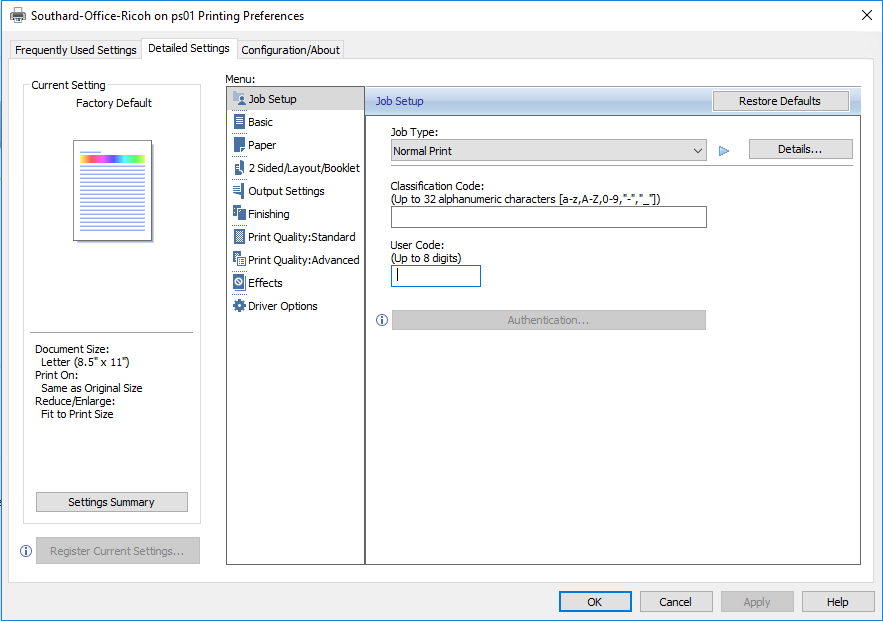
Right click on the printer and click Printing Preferences
Click the Detailed Settings tab
Click the Job Setup menu item
Enter your print code in the User Code box